Anúncios
Weather alerts can mean the difference between safety and disaster, helping millions stay informed about storms, floods, and severe conditions in real time.
Modern weather alert applications have revolutionized how we prepare for and respond to atmospheric events. Gone are the days when we relied solely on television broadcasts or radio updates that might catch us unprepared. Today’s technology delivers precise, location-specific warnings directly to our smartphones, ensuring we’re never caught off guard by dangerous weather conditions.
Anúncios
These applications serve diverse users—from farmers monitoring rainfall patterns to commuters planning their routes, from event organizers checking forecasts to parents ensuring their children’s safety. The accessibility and immediacy of weather alert apps have transformed them from convenient tools into essential safety companions for daily life. ⛈️
Understanding Weather Alert Applications and Their Core Functions
Weather alert applications are sophisticated platforms designed to collect, process, and deliver meteorological information in user-friendly formats. They integrate data from multiple sources including national weather services, satellite imagery, radar networks, and ground-based sensors to provide comprehensive coverage of atmospheric conditions.
Anúncios
The primary function of these apps extends beyond simple forecasts. They analyze weather patterns in real time, identify potentially hazardous developments, and push notifications to users who might be affected. This proactive approach transforms passive weather checking into active safety monitoring.
Most quality weather alert applications offer customizable notification settings, allowing users to filter alerts based on severity, type, and location. Whether you want warnings only for tornadoes and hurricanes or prefer notifications about rain showers and temperature drops, modern apps accommodate varying preferences and needs.

Real-Time Radar Technology
The backbone of effective weather alert apps is real-time radar technology. These systems visualize precipitation, storm movement, and intensity through color-coded maps that update every few minutes. Users can literally watch storms approach their location, estimating arrival times with remarkable accuracy.
Advanced radar features include animated loops showing storm progression over the past several hours, helping users identify trends and patterns. Some applications even overlay lightning strike data, providing additional layers of safety information for outdoor activities.
Severe Weather Warnings
When meteorological agencies issue severe weather warnings, alert applications serve as critical communication channels. These apps distinguish between watches (conditions are favorable for severe weather) and warnings (severe weather is occurring or imminent), helping users understand urgency levels.
Push notifications for tornado warnings, flash flood alerts, extreme heat advisories, and winter storm watches arrive with distinctive sounds and visual alerts, ensuring they capture attention even when phones are in pockets or bags. This immediacy has saved countless lives by providing crucial minutes to seek shelter or change plans. 🚨
Key Features That Define Quality Weather Alert Apps
Not all weather applications are created equal. The best ones share specific characteristics that enhance both functionality and user experience. Understanding these features helps users select applications that truly meet their safety and information needs.
Location-Based Precision
Geographic specificity distinguishes excellent weather apps from mediocre ones. Top-tier applications use GPS technology to deliver hyper-local forecasts and alerts relevant to your exact position, not just your general region or nearest major city.
This precision matters tremendously during scattered storm systems where conditions can vary dramatically within just a few miles. An app that shows you a storm five miles north moving east provides far more actionable information than one offering only county-wide predictions.
Multiple Location Tracking
Quality weather alert applications allow users to monitor multiple locations simultaneously. This feature proves invaluable for people with loved ones in different areas, frequent travelers, or those managing operations across multiple sites.
Users can typically save favorite locations and switch between them with simple taps, receiving customized alerts for each. Parents can monitor weather at their children’s schools, business owners can track conditions at various branches, and travelers can prepare for destinations days before arrival. 🌍
Customizable Alert Parameters
Everyone’s weather alert needs differ. Outdoor workers might need notifications about lightning within a 10-mile radius, while someone else only wants alerts for hurricanes and tornadoes. The best applications offer granular control over notification types, severity thresholds, and active hours.
Some apps even allow users to set “quiet hours” during sleep periods, while still pushing through genuinely life-threatening alerts. This balance between information and notification fatigue represents thoughtful design that respects user preferences without compromising safety.
Practical Applications Across Different User Groups
Weather alert applications serve remarkably diverse audiences, each benefiting from the technology in unique ways. Understanding these varied use cases illustrates why these apps have become indispensable tools for modern life.
Outdoor Enthusiasts and Athletes
Hikers, cyclists, runners, and outdoor sports participants rely heavily on weather alerts to time activities safely. Lightning alerts particularly matter for golfers, while cyclists benefit from wind and precipitation forecasts. These users often check apps multiple times daily, planning routes and timing based on hourly forecasts.
Camping enthusiasts use weather apps to anticipate overnight conditions, ensuring they pack appropriate gear and select safe locations. Boaters depend on marine-specific weather alerts for wind speeds, wave heights, and storm warnings that could endanger vessels and lives at sea. ⛵
Agricultural and Farming Communities
Farmers represent some of the most dedicated weather app users. Precipitation forecasts influence planting schedules, irrigation decisions, and harvest timing. Frost alerts protect valuable crops, while severe weather warnings help secure livestock and equipment before dangerous conditions arrive.
Agricultural-focused weather apps often include specialized features like soil moisture predictions, growing degree days calculations, and spray condition assessments that help farmers optimize operations and protect investments worth thousands or millions of dollars.
Transportation and Logistics
Commercial drivers, fleet managers, and logistics coordinators use weather alerts to route vehicles safely and efficiently. Winter storm warnings trigger alternate route planning, while fog advisories prompt speed reductions and increased following distances.
Aviation professionals—from private pilots to commercial airline dispatchers—depend on weather applications for turbulence forecasts, visibility reports, and wind information critical for flight safety and passenger comfort. 🚛
Event Planning Professionals
Wedding planners, festival organizers, and outdoor event coordinators obsessively monitor weather forecasts weeks before scheduled events. Weather alert apps with extended forecasts and historical weather data help these professionals make informed decisions about tent rentals, backup venues, and contingency planning.
The financial implications of weather-related event decisions can be substantial, making reliable weather information a critical business tool rather than merely a convenience.
Technical Aspects Behind Weather Alert Systems
Understanding the technology powering weather alert applications helps users appreciate their capabilities and limitations. These systems represent complex integrations of data collection, processing, and distribution technologies.
Data Sources and Integration
Weather alert apps aggregate information from governmental meteorological agencies, private weather services, satellite networks, ground-based observation stations, and crowdsourced reports. This multi-source approach ensures redundancy and comprehensive coverage.
In the United States, the National Weather Service provides foundational data, while private companies enhance this with proprietary models and additional sensor networks. European apps similarly integrate data from national meteorological services across multiple countries, creating seamless continental coverage.
Predictive Modeling and Artificial Intelligence
Modern weather applications increasingly employ artificial intelligence and machine learning algorithms to improve forecast accuracy. These systems analyze historical patterns, current conditions, and multiple predictive models to generate probability-weighted forecasts more accurate than any single data source. 🤖
AI-powered apps can learn individual user preferences, adjusting notification sensitivity and timing based on how users respond to previous alerts. This personalization improves user experience while maintaining safety-critical communication.
Push Notification Infrastructure
The technical challenge of delivering time-sensitive weather alerts to millions of devices simultaneously requires robust infrastructure. Weather apps utilize cloud-based notification services from Apple and Google, ensuring alerts reach users even when apps aren’t actively running.
Geographic targeting algorithms determine which users need specific alerts, preventing notification spam while ensuring relevant warnings reach affected populations. This balance between comprehensive coverage and targeted delivery represents significant technical achievement.
Privacy Considerations and Data Usage
Weather alert applications necessarily collect location data to function properly, raising legitimate privacy questions. Understanding how apps handle personal information helps users make informed choices about which services to trust.
Location Data Collection
Most weather apps request either continuous or periodic location access to deliver geographically relevant forecasts and alerts. Users should examine permission settings, choosing apps that allow “only while using” access rather than continuous background tracking when possible.
Reputable weather applications clearly explain why they collect location data and how they protect it. Reading privacy policies, though tedious, reveals important differences between apps that sell location data to third parties and those that use it exclusively for service delivery. 🔒
Advertising and Data Monetization
Free weather apps typically generate revenue through advertising or data monetization. Users should understand this trade-off—personal information and usage patterns may be shared with advertisers in exchange for free service access.
Premium paid versions of weather apps often eliminate advertisements and reduce data collection, offering privacy-conscious users alternatives to free ad-supported models. Evaluating whether enhanced privacy justifies subscription costs represents a personal calculation each user must make.
Selecting the Right Weather Alert Application
With dozens of weather apps available, choosing the right one requires consideration of specific needs, preferences, and priorities. No single app serves everyone perfectly, making informed selection important.
Accuracy and Reliability
Forecast accuracy varies significantly between weather applications. While all apps access similar foundational data, their predictive models and presentation differ. Reading user reviews, comparing predictions to actual conditions over time, and consulting meteorological accuracy studies helps identify consistently reliable options.
Some apps specialize in specific geographic regions, offering superior accuracy through localized data collection and regional expertise. Users in areas prone to particular weather phenomena might prioritize apps with proven track records for those specific conditions. ☀️
Interface and Usability
Even the most accurate weather app provides little value if users find it confusing or difficult to navigate. Intuitive interfaces that present information clearly without overwhelming users with technical meteorological jargon serve most people better than feature-packed but complex alternatives.
Trying several apps before committing helps identify which design philosophies align with personal preferences. Some users prefer minimalist displays showing only essential information, while others appreciate detailed technical data and multiple forecast models.
Cost Structure
Weather apps employ various monetization models including completely free with ads, freemium (free basic features with premium upgrades), and paid subscriptions. Evaluating which features justify payment helps users avoid overpaying for capabilities they won’t use.
Many premium weather apps offer free trial periods, allowing users to test full functionality before committing financially. Taking advantage of these trials provides insight into whether paid features deliver sufficient value over free alternatives.
Maximizing Safety Through Proper Alert Configuration
Installing a weather alert application represents only the first step. Properly configuring notifications and understanding how to respond to different alert types maximizes the safety benefits these tools provide.
Setting Appropriate Notification Levels
Users should configure alerts to match their actual risk tolerance and ability to respond. Someone working indoors in a reinforced building might disable moderate rain notifications while keeping severe thunderstorm and tornado warnings active. An outdoor worker would configure more comprehensive alerts including lightning proximity warnings. ⚡
Periodic review of alert settings ensures configurations remain appropriate as circumstances change. Seasonal adjustments—enabling winter weather alerts in November and disabling them in May—keep notifications relevant without overwhelming users.
Understanding Alert Types and Appropriate Responses
Different weather alerts require different responses. Tornado warnings demand immediate shelter-seeking, while heat advisories suggest staying hydrated and limiting outdoor exposure. Users should familiarize themselves with alert categories and appropriate reactions to each.
Many weather apps include explanatory information with alerts, describing what specific warnings mean and recommending protective actions. Reading these descriptions rather than dismissing them reflexively improves safety outcomes during actual emergencies.
Testing and Verification
Periodically testing notification settings ensures alerts will actually reach users during emergencies. Sending test notifications, verifying sound volumes, and confirming push notifications aren’t disabled at the system level prevents technological failures during critical moments.
Users should also verify that weather apps have necessary permissions to override “Do Not Disturb” settings for emergency alerts, ensuring life-threatening warnings break through even during quiet hours.
The Future of Weather Alert Technology
Weather alert applications continue evolving rapidly, incorporating new technologies and expanding capabilities. Understanding emerging trends provides insight into how these essential tools will serve users even more effectively in coming years.
Enhanced Hyperlocal Forecasting
Next-generation weather apps will leverage expanded sensor networks, including Internet-of-Things weather stations and crowdsourced observations, to deliver forecasts accurate to specific neighborhoods or even individual streets. This hyperlocal precision will dramatically improve alert relevance and reduce false alarms. 🌤️
Machine learning algorithms will analyze microclimatic patterns, identifying how local geography influences weather conditions to generate predictions tailored to very small geographic areas currently underserved by broader regional forecasts.
Augmented Reality Weather Visualization
Augmented reality features will allow users to point smartphones at the sky and see overlay visualizations of approaching weather systems, storm directions, and precipitation intensity. This intuitive interface will make complex meteorological data accessible to users without technical weather knowledge.
AR technology will also enable virtual placement of weather information in real-world contexts, showing exactly where flooding might occur or visualizing wind speeds at specific locations visible through device cameras.
Integration with Smart Home Systems
Weather alert apps increasingly integrate with smart home platforms, automatically closing smart windows before hailstorms, adjusting thermostats ahead of temperature swings, and activating security cameras during severe weather events. This seamless automation translates weather information into protective actions without requiring manual intervention.
Voice assistant integration allows hands-free weather queries and alert management, making weather information accessible while driving, cooking, or otherwise occupied.
Building Weather Awareness Culture Through Technology
Weather alert applications do more than provide information—they cultivate weather awareness as a fundamental aspect of daily safety consciousness. This cultural shift toward proactive weather monitoring represents a significant public health advancement.
Educational features within weather apps teach users about meteorological phenomena, helping people understand why certain conditions produce specific weather events. This knowledge empowers better decision-making beyond simply following app instructions.
Community features that allow users to share weather observations and photos create collective awareness of developing conditions. These social elements transform individual weather monitoring into collaborative safety networks where users help each other stay informed and prepared. 👥
Overcoming Common Challenges with Weather Alert Apps
Despite their tremendous value, weather alert applications face certain limitations and challenges that users should understand to maintain realistic expectations and avoid over-reliance.
False Alarms and Alert Fatigue
Weather prediction inherently involves uncertainty. Storms predicted to impact specific areas sometimes dissipate or change course, resulting in alerts for conditions that never materialize. While frustrating, these false alarms reflect meteorological reality rather than application failures.
Users experiencing alert fatigue should adjust notification thresholds rather than disabling alerts entirely. Finding the right balance between staying informed and avoiding constant interruptions requires experimentation and periodic adjustment.
Battery and Data Consumption
Location-based weather apps with frequent background updates can drain battery life and consume cellular data. Users should configure update frequencies appropriately, perhaps checking hourly rather than every few minutes unless severe weather threatens.
Downloading offline radar maps when connected to WiFi and limiting background refresh for less urgent features helps balance functionality with device resource management. 🔋
Coverage Gaps in Remote Areas
Weather alert accuracy depends on observation network density. Remote rural areas, developing regions, and oceanic locations often lack comprehensive sensor coverage, reducing forecast precision. Users in such areas should understand these limitations and maintain appropriate caution.
Satellite-based weather monitoring partially addresses this issue, but ground-level conditions in data-sparse regions remain less predictable than in well-monitored urban areas with dense observation networks.
Empowering Safety Through Informed Weather Awareness
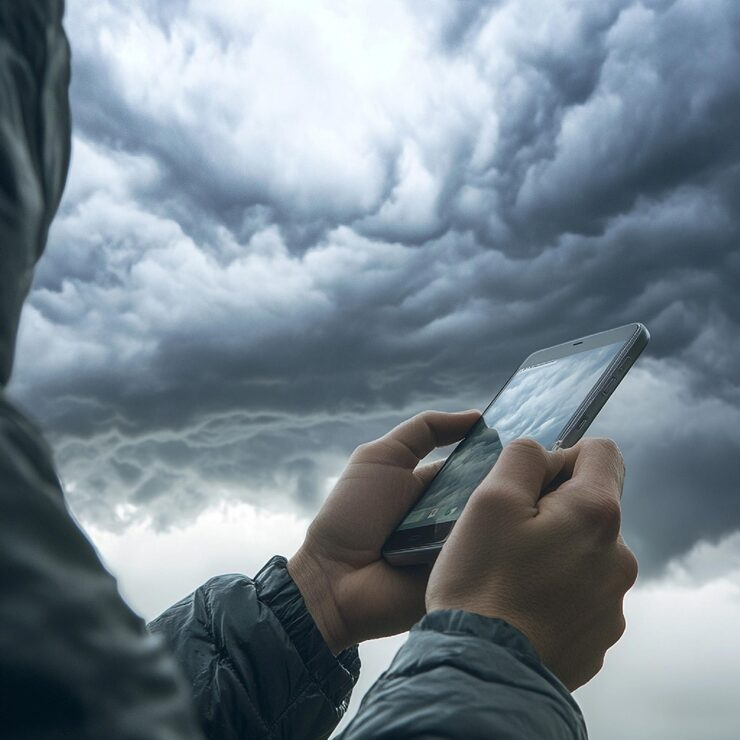
Weather alert applications represent remarkable technological achievements that place sophisticated meteorological tools in everyone’s pocket. These platforms transform complex atmospheric data into actionable information that protects lives, property, and livelihoods across countless scenarios.
The true power of weather alert apps lies not merely in their technical capabilities but in how they empower individuals to make informed decisions about daily activities and safety. From the parent checking conditions before sending children to school to the emergency manager coordinating disaster response, these applications serve as essential infrastructure for modern life.
As climate patterns shift and extreme weather events become more frequent, the importance of reliable weather alert systems will only increase. Investing time in selecting, configuring, and understanding weather applications represents a small effort that yields enormous safety dividends.
By combining cutting-edge technology with user-centered design, weather alert applications demonstrate how digital tools can genuinely improve human welfare. They remind us that technology’s greatest achievements often lie not in flashy features but in quiet, consistent service that keeps people safe through life’s storms—both literal and metaphorical. 🌈
