Video editing apps have revolutionized content creation, empowering users to produce professional-quality videos directly from their smartphones with intuitive tools and creative features.
The digital landscape has transformed dramatically over recent years, placing powerful editing capabilities in the palm of your hand. What once required expensive desktop software and professional training can now be accomplished during your morning commute or while relaxing at home.
Whether you’re a social media influencer, aspiring filmmaker, or simply someone who wants to create memorable content for friends and family, video editing applications offer an accessible gateway to visual storytelling. These tools combine simplicity with sophistication, making it easier than ever to bring your creative vision to life. 🎬
Why Mobile Video Editing Has Become Essential
The shift toward mobile-first content consumption has fundamentally changed how we create and share videos. Platforms like TikTok, Instagram Reels, and YouTube Shorts have created an insatiable appetite for short-form video content that’s authentic, engaging, and professionally polished.
Mobile editing apps bridge the gap between raw footage and shareable content. They eliminate the need for transferring files to computers, learning complex software interfaces, or investing in expensive equipment. The convenience factor alone has democratized video production in ways previously unimaginable.
Speed is another critical advantage. When inspiration strikes or trending moments emerge, you need tools that work as fast as your creativity flows. Modern video editing applications deliver real-time previews, instant exports, and seamless sharing capabilities that keep pace with social media’s rapid rhythm.
Key Features That Define Quality Video Editing Apps
Not all video editing applications are created equal. The best ones share certain characteristics that elevate them above basic trimming tools into comprehensive creative suites.
Intuitive User Interface 📱
The interface makes or breaks the editing experience. Top-tier applications feature clean layouts where functions are logically organized and easily discoverable. Drag-and-drop functionality, gesture controls, and clear visual indicators help users navigate complex editing tasks without frustration.
A well-designed interface doesn’t sacrifice power for simplicity. Instead, it layers advanced features beneath accessible entry points, allowing beginners to start creating immediately while providing depth for experienced editors to explore.
Comprehensive Editing Tools
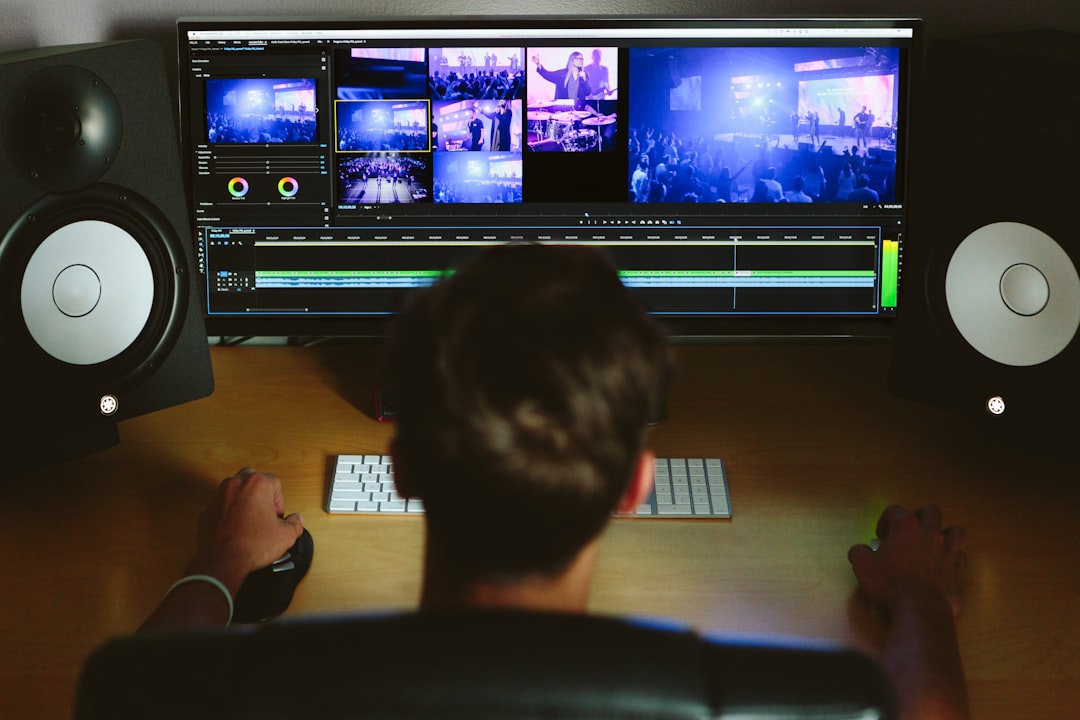
Professional-grade apps offer multi-track timelines that let you layer video clips, audio tracks, effects, and text elements. Precision trimming tools enable frame-by-frame adjustments, ensuring your cuts occur at exactly the right moment.
Speed controls have become essential for modern content creation. The ability to create slow-motion sequences or time-lapse effects adds dramatic impact to your videos. Variable speed controls let you emphasize key moments while maintaining smooth playback throughout.
Creative Effects and Filters ✨
Filters and effects transform ordinary footage into eye-catching content. Color grading tools allow you to establish specific moods and maintain visual consistency across your projects. Preset filters offer quick styling options, while manual controls provide precise adjustments for those seeking exact results.
Transition effects smooth the flow between clips, preventing jarring jumps that disrupt viewer engagement. From simple fades to elaborate 3D transitions, these elements add polish and professionalism to your final product.
Audio Editing Capabilities
Sound design separates amateur videos from professional productions. Quality editing apps include audio mixing tools that let you balance dialogue, music, and sound effects. Volume adjustment curves provide precise control over how audio levels change throughout your video.
Built-in music libraries offer royalty-free tracks that enhance your content without copyright concerns. Voiceover recording features enable narration directly within the app, eliminating the need for external recording equipment.

Advanced Features for Professional Results
As mobile editing apps mature, they increasingly incorporate features once exclusive to desktop software. These advanced capabilities empower creators to produce broadcast-quality content entirely on mobile devices.
Keyframe Animation
Keyframe animation brings motion graphics capabilities to mobile editing. You can animate any parameter—position, scale, rotation, opacity—creating custom movements and effects that give your videos unique visual signatures.
This feature opens creative possibilities like animated text reveals, picture-in-picture effects that move across the screen, and zoom effects that draw attention to specific details. The precision control rivals professional software while remaining accessible on touchscreen devices.
Chroma Key Technology 🎥
Green screen effects, technically known as chroma keying, let you replace backgrounds with any image or video. This technology enables weather presenter-style effects, fantasy backgrounds, or professional talking-head presentations without expensive studio setups.
Modern apps make chroma keying straightforward with automatic color detection and edge refinement tools. What once required specialized knowledge now happens with a few taps, opening creative doors for storytellers at every skill level.
Motion Tracking
Motion tracking automatically follows objects or people through your footage, attaching effects, text, or graphics that move naturally with the subject. This creates professional results like floating name tags, spotlight effects, or tracked blur filters for privacy protection.
The technology uses sophisticated algorithms to analyze frame-by-frame movement, but the implementation remains user-friendly. Simply select your target, apply your effect, and the app handles the complex calculations automatically.
Optimizing Your Videos for Different Platforms
Each social media platform has unique requirements and best practices. Smart video editing apps recognize these differences and provide tools tailored to specific destinations.
Aspect Ratio Management
Vertical 9:16 videos dominate Stories and Reels, while traditional 16:9 widescreen suits YouTube content. Square 1:1 formats work well for feed posts across multiple platforms. Quality apps let you easily reformat content for different destinations without re-editing entire projects.
Some applications even offer automatic reframing that intelligently repositions content when changing aspect ratios, keeping subjects properly centered despite dimensional changes.
Export Settings and Quality Control
Understanding resolution, frame rate, and bitrate settings ensures your videos look their best after upload. Apps that offer preset export profiles for specific platforms simplify this process while allowing manual adjustments for advanced users.
Compression algorithms balance file size against visual quality. Efficient encoding preserves detail while creating files small enough for quick uploads and smooth playback across various internet connections.
Enhancing Workflow Efficiency
Time is precious for content creators juggling multiple projects and platforms. The best video editing apps incorporate features that accelerate workflow without compromising quality.
Templates and Presets
Pre-designed templates provide starting points for common video types—intros, outros, social media announcements, or promotional content. Customizing templates is faster than building projects from scratch while ensuring professional results.
Saving your own presets for frequently used effects, transitions, or export settings creates consistency across your content library and eliminates repetitive setup work.
Batch Processing 🔄
When you need to apply identical edits to multiple clips—color correction, watermarks, or format changes—batch processing saves enormous time. Load multiple files, apply your changes once, and let the app process everything automatically.
Cloud Integration
Cloud storage integration enables seamless workflow across devices. Start editing on your phone during your commute, refine details on your tablet at lunch, and add final touches on another device at home. Your projects sync automatically, keeping everything current.
Cloud libraries also provide access to your media assets from anywhere, eliminating the need to manually transfer files between devices or worry about storage limitations.
Creative Techniques for Standout Videos
Technical proficiency is important, but creative application of features separates memorable content from forgettable footage. These techniques help your videos capture and retain viewer attention.
Strategic Pacing
Rhythm matters in video editing. Varying clip lengths creates visual interest—quick cuts generate energy and excitement, while longer shots allow emotional moments to breathe. Music often dictates pacing, with edits synchronized to beats for maximum impact.
Attention spans are short, especially on social media. Front-load your most compelling content, hook viewers within the first three seconds, and maintain momentum throughout to minimize drop-off.
Color Grading for Mood 🎨
Color dramatically influences emotional response. Warm tones create feelings of comfort and nostalgia, cool tones convey professionalism or melancholy, and saturated colors generate excitement and energy.
Consistent color grading across your content establishes brand identity and visual cohesion. Develop signature looks that make your videos immediately recognizable even before viewers see your name.
Text and Typography
On-screen text serves multiple purposes—providing context, emphasizing key points, and improving accessibility. With many viewers watching videos without sound, well-placed captions ensure your message reaches everyone.
Typography choices communicate personality. Bold sans-serif fonts project confidence and modernity, script fonts suggest elegance or creativity, and playful fonts attract younger audiences. Animation brings static text to life, directing attention and maintaining visual interest.
Overcoming Common Editing Challenges
Even experienced creators encounter obstacles. Understanding common issues and their solutions keeps your projects moving forward smoothly.
Managing Storage Limitations
Video files consume significant storage space, especially when shooting in 4K resolution. Regular cleanup of old projects, completed exports, and cache files prevents storage crises. External storage options and cloud services extend capacity beyond device limitations.
Proxy editing lets you work with lower-resolution versions of clips during editing, then automatically switches to full-resolution files for final export. This technique improves performance on devices with limited processing power while maintaining output quality.
Maintaining Performance
Complex projects with multiple effects layers can strain mobile processors. Rendering preview sections before playback ensures smooth performance during review. Breaking large projects into smaller sequences reduces processing demands and makes editing more responsive.
Closing background applications frees system resources for editing tasks. Regular device restarts clear temporary files and refresh system performance, preventing slowdowns during crucial editing sessions.
Audio Synchronization Issues 🎵
Audio drift—where sound gradually falls out of sync with video—frustrates viewers and undermines professionalism. This typically results from frame rate mismatches between audio and video sources. Quality editing apps detect and correct these discrepancies automatically, but manual adjustment tools provide backup solutions when needed.
Learning Resources and Skill Development
Mastering video editing is an ongoing journey. The tools constantly evolve, and creative techniques develop through practice and inspiration from other creators.
Built-In Tutorials
Many applications include tutorial systems that explain features through interactive lessons. These guided experiences teach specific techniques within the actual editing environment, making learning immediately applicable to your projects.
Online Communities
Creator communities share tips, techniques, and inspiration. Platform-specific groups on social media provide feedback on your work, answer technical questions, and showcase creative possibilities you might not have considered.
Following accomplished creators in your niche reveals how they achieve specific effects and stay current with emerging trends. Many share behind-the-scenes content explaining their editing processes.
Experimentation and Practice 💡
The best teacher is hands-on experience. Challenge yourself with different video styles—try editing a music video, create a documentary-style piece, produce a comedy sketch, or craft a cinematic short film. Each genre teaches different skills and expands your creative toolkit.
Set personal challenges like recreating effects from videos you admire or completing projects within time constraints. These exercises build speed, problem-solving abilities, and technical confidence.
The Future of Mobile Video Editing
Artificial intelligence is reshaping video editing capabilities. AI-powered features like automatic scene detection, smart clip selection, and intelligent audio ducking reduce tedious manual work, letting creators focus on creative decisions.
Object recognition enables sophisticated effects like automatic background removal, subject tracking, and content-aware editing that understands what’s happening in your footage. These technologies democratize complex techniques previously requiring expert knowledge.
Processing power continues advancing, with mobile devices now rivaling computers from just a few years ago. This hardware evolution enables real-time effects processing, 8K video editing, and increasingly sophisticated features without performance compromises.
Augmented reality integration promises exciting possibilities—previewing how videos will look in physical spaces, creating immersive 3D content, or adding interactive elements that respond to viewer actions.
Making Your Content Stand Out
Technical skill matters, but authentic storytelling creates lasting impact. Your unique perspective, experiences, and voice differentiate your content in an oversaturated digital landscape.
Focus on serving your audience. What problems do they face? What questions do they ask? What emotions do they seek? Content that provides genuine value—whether entertainment, education, or inspiration—naturally attracts and retains viewers.
Consistency builds audiences. Regular posting schedules train viewers when to expect new content. Visual consistency through signature editing styles, color palettes, and formatting creates brand recognition that helps your videos stand out in crowded feeds.


Analytics reveal what resonates with your audience. Pay attention to completion rates, engagement metrics, and feedback. Let data inform your creative decisions while maintaining your authentic voice and vision.
Transforming Your Creative Vision Into Reality 🌟
Video editing applications have eliminated traditional barriers between inspiration and execution. The learning curve continues flattening as interfaces become more intuitive and AI handles technical complexities. What remains constant is the power of compelling stories told through moving images.
Your smartphone contains production capabilities that would have amazed filmmakers just a generation ago. The question is no longer whether you have access to professional tools, but whether you’ll use them to share your unique perspective with the world.
Start with simple projects and gradually expand your skills. Every creator began as a beginner, and every expert continues learning. The combination of powerful editing apps, abundant learning resources, and supportive communities means there’s never been a better time to begin your video creation journey.
The stories waiting to be told are limitless. The tools are in your hands. The audience is out there waiting to discover your content. What will you create today?
