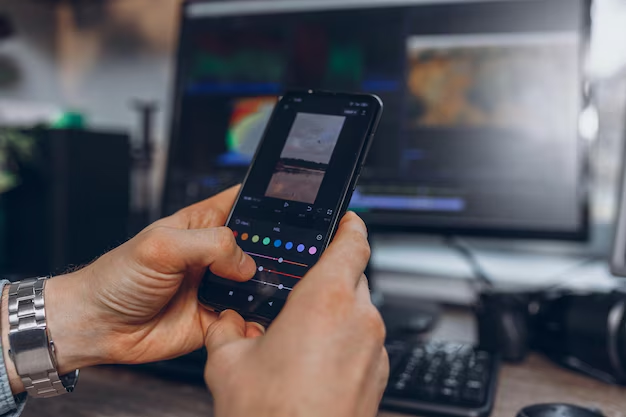
Photo editing apps have revolutionized how we capture, enhance, and share visual memories, transforming smartphones into powerful creative studios accessible to everyone.
Whether you’re a professional photographer, social media enthusiast, or someone who simply wants their pictures to look better, photo editing applications have become essential tools in our digital lives. These versatile platforms offer everything from basic adjustments to advanced AI-powered features that were once exclusive to desktop software.
The evolution of mobile photography has been remarkable. What started as simple filters has grown into comprehensive editing suites capable of professional-grade transformations. Today’s apps combine intuitive interfaces with sophisticated technology, making it possible for anyone to create stunning visuals with just a few taps.
🎨 Why Photo Editing Apps Matter in Today’s Digital World
Visual content dominates social media platforms, marketing campaigns, and personal communications. The ability to quickly edit and enhance photos directly from your smartphone has become not just convenient, but necessary for maintaining an engaging online presence.
Modern photo editing apps democratize creativity by removing technical barriers. You no longer need expensive equipment or years of training to produce eye-catching images. These applications use artificial intelligence and machine learning to automate complex tasks while still giving users full creative control.
The impact extends beyond personal use. Small business owners rely on these tools to create professional marketing materials without hiring designers. Content creators use them to maintain consistent visual branding across platforms. Even traditional photographers incorporate mobile editing into their workflows for quick adjustments on location.
✨ Essential Features Every Great Photo Editor Should Include
When choosing a photo editing application, certain core features distinguish exceptional tools from basic offerings. Understanding these capabilities helps you select the right app for your specific needs and creative vision.


Background Removal Technology
One of the most transformative features in modern editing apps is AI-powered background removal. This technology instantly separates subjects from their backgrounds, enabling countless creative possibilities. You can place products on clean white backgrounds for e-commerce listings, create composite images, or remove distracting elements with precision that previously required hours of manual work.
Advanced algorithms analyze image content to distinguish between foreground subjects and backgrounds, even with complex edges like hair or transparent objects. The best applications offer refinement tools to perfect edges and handle challenging scenarios.
Smart Object Recognition and Enhancement
Artificial intelligence has introduced intelligent editing that understands image content. These systems can identify faces, landscapes, food, architecture, and other subjects, automatically applying appropriate enhancements. Face detection enables targeted skin smoothing, eye brightening, and portrait-specific adjustments without affecting the entire image.
Smart enhancement goes beyond simple filters by analyzing composition, lighting, and color balance to suggest improvements tailored to each specific photo. This guidance helps beginners achieve professional results while giving experts a starting point for further customization.
Comprehensive Adjustment Controls
Professional-quality apps provide granular control over fundamental image parameters. Exposure, contrast, highlights, shadows, saturation, and temperature adjustments form the foundation of quality editing. These tools should be intuitive yet precise, allowing both quick tweaks and meticulous fine-tuning.
Advanced apps include curve adjustments for precise tonal control, HSL sliders for targeting specific color ranges, and split toning capabilities. These professional features enable sophisticated color grading previously limited to desktop software.
Creative Filters and Presets
While automatic enhancements handle technical improvements, creative filters express artistic vision. Quality apps offer diverse preset collections ranging from vintage film emulations to contemporary aesthetic trends. The best presets serve as customizable starting points rather than one-size-fits-all solutions.
Look for applications that allow you to save custom presets, enabling consistent editing across photo series and efficient workflow development. This feature proves invaluable for maintaining brand consistency or developing signature visual styles.
🚀 How Photo Editing Apps Transform Different Industries
The accessibility of powerful editing tools has disrupted traditional workflows across multiple sectors, creating new opportunities and changing professional standards.
E-commerce and Product Photography
Online retailers face constant pressure to showcase products attractively while maintaining cost efficiency. Photo editing apps enable small businesses to create professional product images without expensive photography studios. Background removal creates clean, consistent product shots. Lighting adjustments compensate for imperfect shooting conditions. Batch editing capabilities process multiple images with consistent styling.
These tools have leveled the playing field, allowing independent sellers to compete visually with larger competitors who previously dominated through superior production resources.
Social Media Content Creation
Influencers, marketers, and brands require constant content streams optimized for various platforms. Mobile editing apps fit perfectly into fast-paced content creation workflows, enabling editing anywhere inspiration strikes. The ability to shoot, edit, and publish from a single device accelerates content pipelines dramatically.
Platform-specific features like preset dimensions for Instagram stories, Facebook posts, or Pinterest pins streamline multi-platform publishing. Template systems help maintain visual consistency across content calendars while reducing production time.
Real Estate Marketing
Property listings depend heavily on visual appeal. Real estate professionals use editing apps to enhance listing photos by correcting lighting in dimly-lit interiors, removing unwanted objects, straightening perspectives, and enhancing colors to make spaces more inviting. Virtual staging capabilities digitally furnish empty rooms, helping potential buyers visualize possibilities.
The ability to edit on-site means agents can process and publish listings immediately after property visits, reducing time-to-market and capturing buyer interest while properties are fresh.

Personal Branding and Professional Networking
First impressions increasingly happen online through profile pictures and portfolio images. Professionals across industries use editing apps to ensure their visual representation aligns with their personal brand. Subtle enhancements improve photo quality without appearing over-processed, maintaining authenticity while presenting polished professionalism.
Freelancers and consultants create cohesive visual identities across LinkedIn, personal websites, and marketing materials using consistent editing styles developed through custom presets.
📱 Choosing the Right Photo Editing App for Your Needs
The crowded marketplace of editing applications makes selection challenging. Different tools excel in different areas, and the best choice depends on your specific requirements, skill level, and intended applications.
Assessing Your Primary Use Case
Start by identifying your main editing objectives. Are you primarily removing backgrounds for product photography? Do you need comprehensive portrait retouching? Are you creating social media content requiring quick turnaround? Perhaps you’re pursuing artistic photography with advanced color grading needs.
Specialized apps often outperform general-purpose tools in their focus areas. A dedicated background removal app might excel at that specific task while lacking broader editing capabilities. Conversely, comprehensive suites offer versatility but may have steeper learning curves.
Evaluating User Interface and Workflow
Even powerful features become useless if buried in confusing interfaces. Test applications to assess whether their design philosophy matches your working style. Some apps prioritize simplicity with automatic enhancements and minimal manual controls. Others embrace complexity, offering extensive toolsets for precise control.
Consider workflow efficiency beyond individual features. Can you quickly apply your most-used adjustments? Does the app remember your preferences? Are export options flexible enough for your distribution needs? These practical considerations significantly impact daily usability.
Considering AI Capabilities and Automation
Artificial intelligence represents the cutting edge of photo editing technology. Apps leveraging machine learning can accomplish in seconds what previously required significant skill and time. Evaluate how effectively AI features perform with your typical image types.
Some applications offer AI-assisted editing that provides suggestions while maintaining user control. Others automate processes more completely, prioritizing speed over customization. Your preference for control versus convenience should guide your selection.
💡 Maximizing Results: Pro Tips for Mobile Photo Editing
Powerful tools deliver mediocre results without proper technique. These strategies help you extract maximum quality from photo editing applications regardless of which specific app you choose.
Start With Quality Source Material
Editing enhances photographs but cannot completely rescue poorly captured images. Good lighting, proper focus, and thoughtful composition provide the foundation for successful editing. When possible, shoot in your camera’s highest quality settings to preserve maximum detail for post-processing.
Understanding your phone camera’s strengths and limitations helps you capture edit-friendly images. Most smartphones struggle in low light and with high contrast scenes. Recognizing these situations allows you to compensate during shooting or adjust expectations for final results.
Embrace Subtlety and Restraint
The most common editing mistake involves over-processing. Heavy-handed adjustments create unnatural-looking images that immediately reveal their edited nature. Professional results typically involve numerous small adjustments rather than extreme single modifications.
Regularly zoom out to view your image at normal viewing size during editing. Details that seem important at high magnification often disappear at standard viewing distances. This perspective prevents unnecessary perfectionism that wastes time without improving the final result.
Develop a Consistent Editing Style
Visual consistency strengthens brand recognition and creates cohesive portfolios. Develop a signature look through repeated use of specific adjustment combinations, color palettes, and tonal preferences. Save these as custom presets for efficient application across multiple images.
Consistency doesn’t mean identical editing for every photo. Rather, it establishes recognizable characteristics that tie your work together while allowing flexibility for different subjects and situations.
Master Non-Destructive Editing Principles
Whenever possible, work with copies rather than original files. Many apps offer non-destructive editing that preserves original images while storing adjustments separately. This approach allows unlimited revision without quality degradation.
Layer-based editing systems provide maximum flexibility by separating different adjustments. You can modify or remove specific changes without affecting others, enabling experimentation without permanent consequences.
🔮 The Future of Mobile Photo Editing Technology
Emerging technologies promise to further transform photo editing capabilities and workflows. Understanding these trends helps you anticipate future possibilities and prepare for evolving creative landscapes.
Advanced AI and Machine Learning Integration
Artificial intelligence continues advancing rapidly, with next-generation systems understanding context, intent, and aesthetic preferences at unprecedented levels. Future apps will offer increasingly sophisticated automated editing that comprehends stylistic goals rather than simply applying technical corrections.
Predictive editing may suggest adjustments based on your historical preferences and the specific image content. Conversational interfaces could enable natural language editing instructions, making sophisticated techniques accessible without technical knowledge.
Augmented Reality and Computational Photography
The line between capture and editing continues blurring as computational photography integrates processing directly into the shooting process. Future apps will likely offer real-time editing previews during capture, showing final processed results before you take the shot.
Augmented reality features may enable virtual object placement, lighting simulation, and scene manipulation that seamlessly integrate with photographs. These capabilities will expand creative possibilities while maintaining photographic realism.
Collaborative and Cloud-Based Workflows
Cloud integration enables seamless editing across multiple devices and collaborative workflows where teams work on projects simultaneously. Future applications will likely emphasize connectivity, allowing instant sharing, collective editing, and automatic synchronization across platforms.
These collaborative features particularly benefit commercial applications where multiple stakeholders review and approve visual content before publication.
🎯 Making Photo Editing Part of Your Creative Routine
Consistent improvement requires regular practice and experimentation. Integrating editing into your creative routine transforms technical skills into intuitive artistic expression.
Challenge yourself to explore unfamiliar features regularly. Dedicated time for experimental editing without specific objectives encourages discovery and creativity. These exploratory sessions often reveal techniques that become permanent workflow components.
Study work you admire by attempting to recreate effects and styles. This reverse-engineering approach teaches specific techniques while developing your analytical eye for understanding how images achieve their impact.
Seek feedback from communities and peers. Fresh perspectives identify areas for improvement that you might overlook due to familiarity with your own work. Constructive criticism accelerates skill development more effectively than isolated practice.
🌟 Transforming Ordinary Photos Into Extraordinary Visual Stories
Photo editing applications represent more than convenient tools—they’re creative instruments that amplify visual storytelling capabilities. The accessibility of professional-grade editing democratizes creativity, enabling anyone with a smartphone to produce compelling imagery.
Success with these tools comes not from mastering every feature but from understanding your creative vision and selecting techniques that serve that vision. Whether you’re building a business, expressing artistic ideas, or simply making memories look their best, modern editing apps provide the capabilities to achieve your goals.
The key lies in balancing technical proficiency with authentic creativity. Tools should enhance your unique perspective rather than homogenize your work into generic styles. As you develop skills and confidence, your editing becomes increasingly invisible—present in improved quality but absent in obvious manipulation.
Embrace experimentation, practice regularly, and remember that the best photo editor is the one that fits seamlessly into your creative workflow while helping you realize your visual ambitions. The technology continues evolving, but the fundamental goal remains constant: capturing and sharing moments that matter in the most compelling way possible.
